
Setup MooseCI on your repository with GitHub Actions

Setup MooseCI on your repository with GitHub Actions
Section titled “Setup MooseCI on your repository with GitHub Actions”What is MooseCI?
Section titled “What is MooseCI?”MooseCI is a tool that runs automatic analyses on your code. It looks for code quality problems and writes a report for you.
MooseCI is built on top of Moose. It can run in headless mode, so you can use it on a CI server.
You can use MooseCI in two ways:
- as a command line tool, with Docker
- inside a CI, with its GitHub Action for example
For now, MooseCI supports Java and Python.
MooseCI runs its analyses on the Famix model of your project, not on the FAST model.
Run MooseCI with Docker
Section titled “Run MooseCI with Docker”The easiest way to try MooseCI is with Docker.
First, pull the image for your language. For Java, use the latest image, and for Python, use the python image:
docker pull ghcr.io/moosetechnology/moose-ci:latestdocker pull ghcr.io/moosetechnology/moose-ci:pythonGo to the folder you want to analyze, and create a configuration file with the init command:
docker run -v "$(pwd):/src" ghcr.io/moosetechnology/moose-ci:latest initThis creates a moose-ci.ston file. You can edit it to choose the rules and the metrics.
Then run the analysis:
docker run -v "$(pwd):/src" ghcr.io/moosetechnology/moose-ci:latest analyzeMooseCI prints the report in the console and writes a JSON report in .moose-ci/report.
Run MooseCI in a CI with GitHub Actions
Section titled “Run MooseCI in a CI with GitHub Actions”MooseCI is also available as a GitHub Action. Add it to a repository, and it runs on every pull request.
The Action:
- runs MooseCI on your project
- uploads the report as an artifact
- comments on the pull request with a download link and a short summary of the analysis
Example with VerveineJ
Section titled “Example with VerveineJ”Let’s take VerveineJ as an example. VerveineJ is a Java project that parses Java code and exports it to JSON/MSE for Moose.
We added MooseCI to VerveineJ. You can see the result in this pull request.
First, create the configuration file. Go to the folder you want to analyze, and run init:
cd app/src/main/java/frdocker run -v "$(pwd):/src" ghcr.io/moosetechnology/moose-ci:latest initThis creates app/src/main/java/fr/moose-ci.ston. The file looks like this:
MooseCIConfig { #projectLanguage : #java, #metrics : [ #packages, #classes ], #rules : [ #too_many_parameters : 10, #large_class : 20, #unused_local_variable, #unused_parameter ], #outputFormats : [ #json ], #outputPath : '.moose-ci/report', #visualizations : [ ], #isRemote : false}In this file, you can:
- set the language with
#projectLanguage - choose the metrics to compute with
#metrics - choose the quality rules with
#rules, and give a threshold to some rules (for example#too_many_parameters : 10) - choose the report format and location with
#outputFormatsand#outputPath
Then add the workflow. Create .github/workflows/moose-ci.yml:
name: MooseCIon: pull_requestpermissions: contents: read actions: write pull-requests: writejobs: analyze: runs-on: ubuntu-latest steps: - uses: actions/checkout@v4 - uses: moosetechnology/setup-MooseCI@v1.0.0 with: project-path: ./app/src/main/java/fr project-language: javaSome details:
on: pull_requestruns the workflow on every pull request.actions: writeis needed to upload the report.pull-requests: writeis needed to write the comment.project-pathis the folder to analyze. It must containmoose-ci.ston.project-languageselects the image. Usejavaorpython.
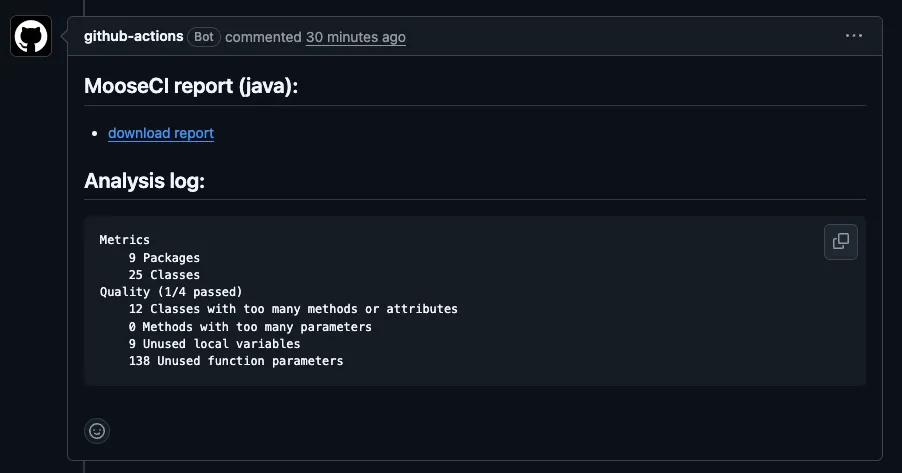
On each pull request, MooseCI comments with the analysis. For VerveineJ, the summary looks like this:
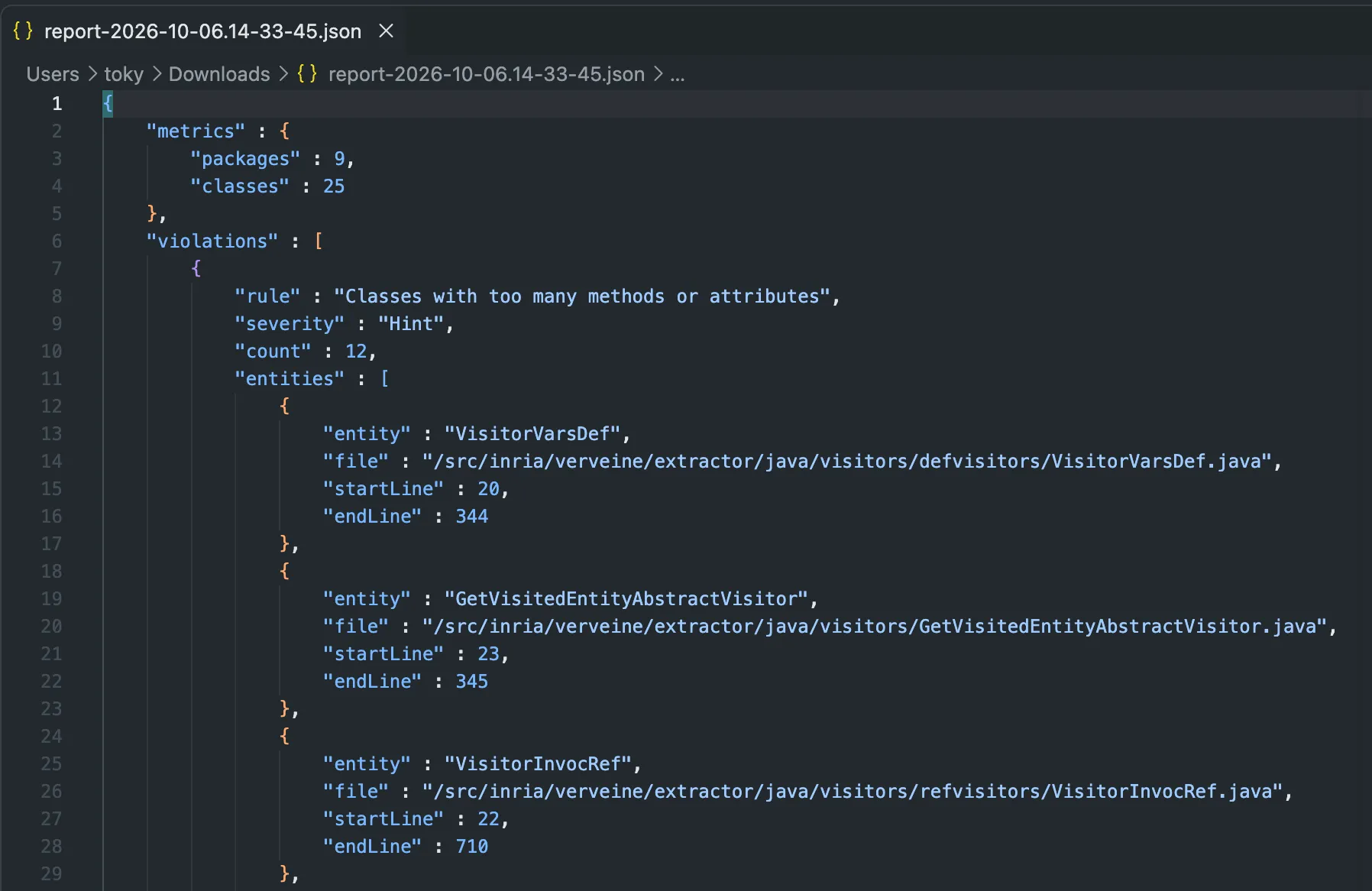
The report also contains the list of rule violations, with the location of each problem in the source code.
Use MooseCI in another CI
Section titled “Use MooseCI in another CI”MooseCI is not limited to GitHub. In any other CI, you can run the same Docker image and the same commands as the CLI, for example:
docker run -v "$(pwd):/src" ghcr.io/moosetechnology/moose-ci:latest analyzeThe report is written in the MooseCI report folder (.moose-ci/report). Your CI can then publish it as an artifact.
Conclusion
Section titled “Conclusion”MooseCI is easy to use. You can run it locally with Docker, or on every pull request with the GitHub Action. You only need a configuration file and a small workflow.