
Your first analysis
In this tutorial, we perform a first analysis on a real case study: ArgoUML, an open-source Java project.
The system contains some deprecated classes.
A typical question is: which of these classes can we remove?
Essentially, this boils down to finding the classes annotated with @Deprecated and then selecting those that are not used anywhere (we ignore reflection for this exercise).
Before starting, make sure you have installed Moose.
Get the model of ArgoUML
Section titled “Get the model of ArgoUML”As explained in What is Moose?, we first need a model of the system.
Build the model yourself with VerveineJ
To build the model, we use VerveineJ, the Java parser of Moose. You can use its docker image or install it on your computer:
-
Download and unzip the latest release of VerveineJ.
-
Create an
ArgoUML-0-34folder. -
Download the ArgoUML version 0.34 sources and place them in the
ArgoUML-0-34/srcfolder. -
Download the ArgoUML version 0.34 libraries and place them in the
ArgoUML-0-34/libsfolder. -
From the
ArgoUML-0-34folder, run VerveineJ:Terminal window path/to/VerveineJ/verveinej.sh -format json -o ArgoUML-0-34.json -autocp ./libs ./srcTerminal window path\to\VerveineJ\verveinej.bat -format json -o ArgoUML-0-34.json -autocp ./libs ./src
You get an ArgoUML-0-34/ArgoUML-0-34.json file containing the model of ArgoUML.
Load the model in Moose
Section titled “Load the model in Moose”-
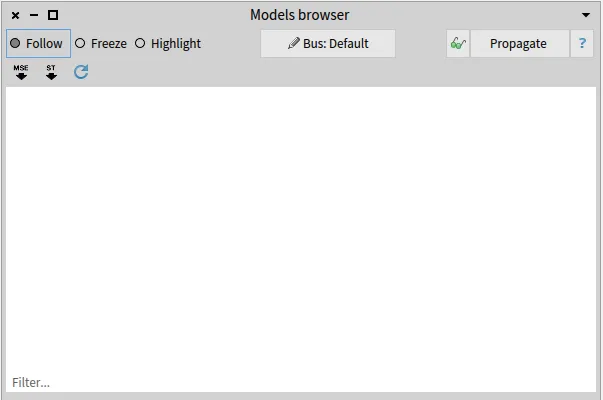
In Moose, open the Models browser from the Moose menu.
-
Click on the JSON button on the top right and select the
ArgoUML-0-34.jsonfile. -
Moose asks which Famix meta-model the file follows. ArgoUML is a Java project, so select
FamixJavaModel.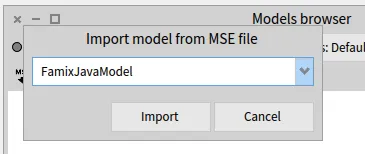
-
(Optional) To see the source code of the entities, point the model to the sources folder: right-click on the
ArgoUML-0-34model, chooseUtilities >> Set root folder, and select theArgoUML-0-34folder.
Now we are ready to query our system.
Find deprecated classes
Section titled “Find deprecated classes”We first look for the deprecated classes.
Inspect the model with a right-click on the model and Inspect.
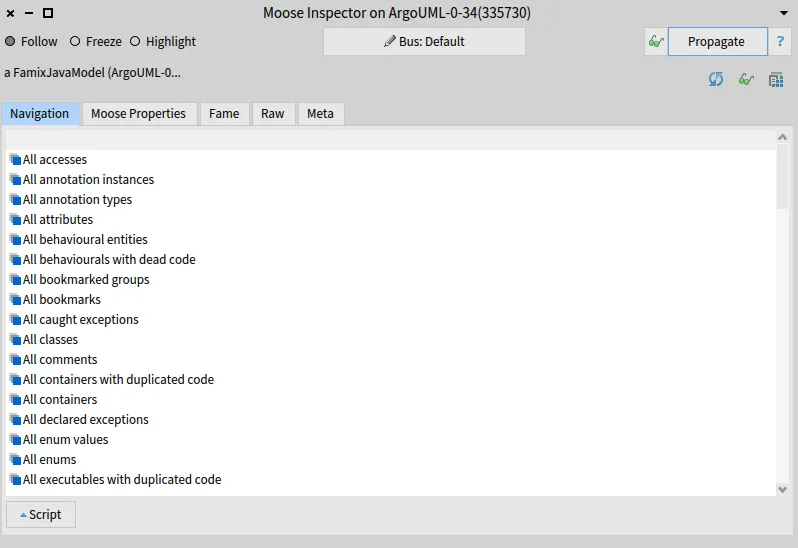
To retrieve the deprecated classes, select the All model classes entry.
Then, open the script area and type the following script:
self select: [ :each | each isAnnotatedWith: 'Deprecated' ]Select the script, and execute it with Ctrl + G.
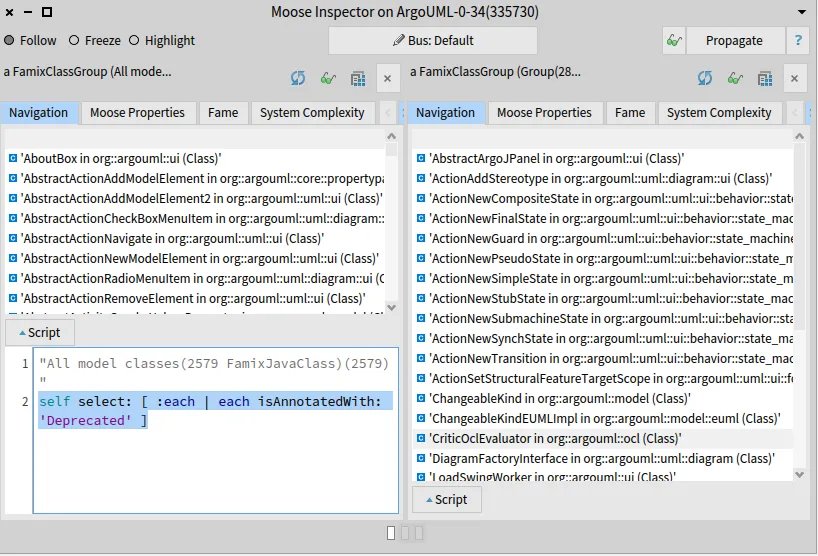
In the right pane, you get the list of the 28 deprecated classes of ArgoUML.
Show source code
Section titled “Show source code”To make sure that we indeed got deprecated classes, let’s look at the source code of one of them.
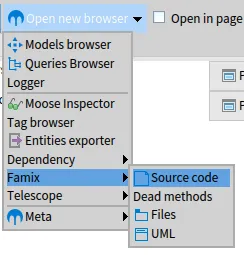
Select one entity and open the Source code browser (Specialized Browsers >> Famix >> Source code).
Then, click on the Propagate button of the inspector: the source code of the selected class appears in the Source code browser.
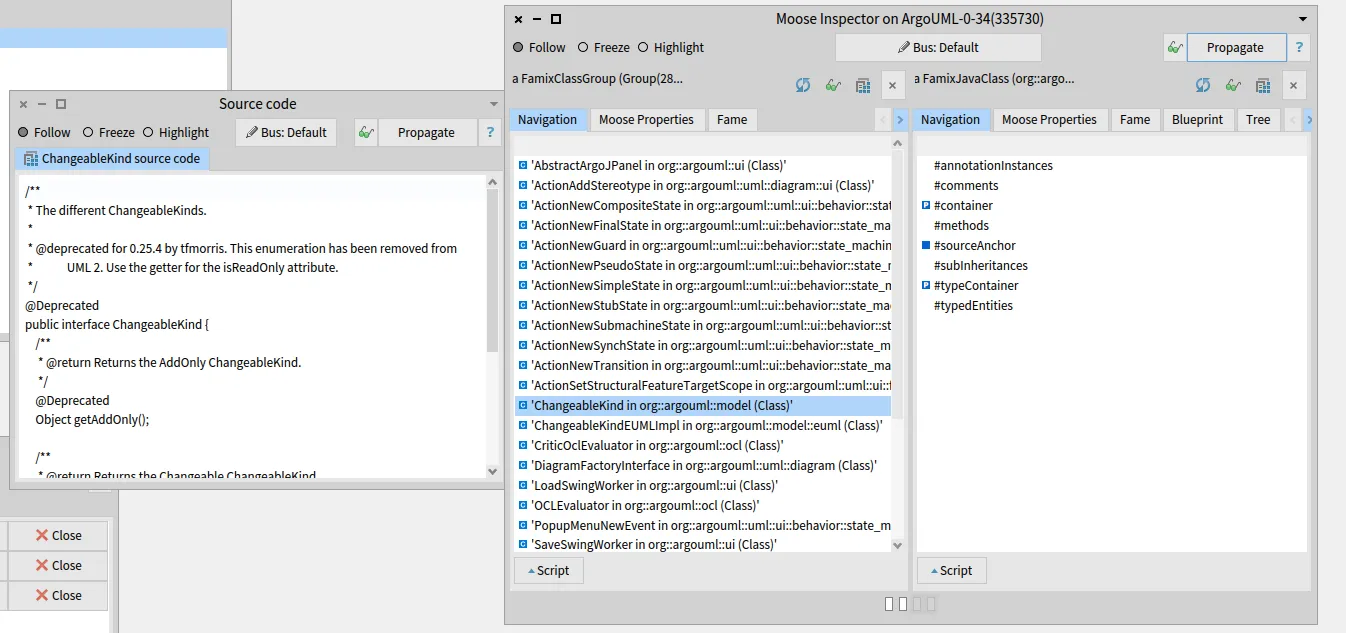
Analyze the result
Section titled “Analyze the result”We now need to check which of the 28 deprecated classes are not used. In terms of clients and providers: which deprecated classes have no client classes? Go back to the inspector pane listing the 28 classes, open the script area again, and execute:
self select: [ :each | each clientTypes isEmpty ]We get 14 classes that can be removed immediately.
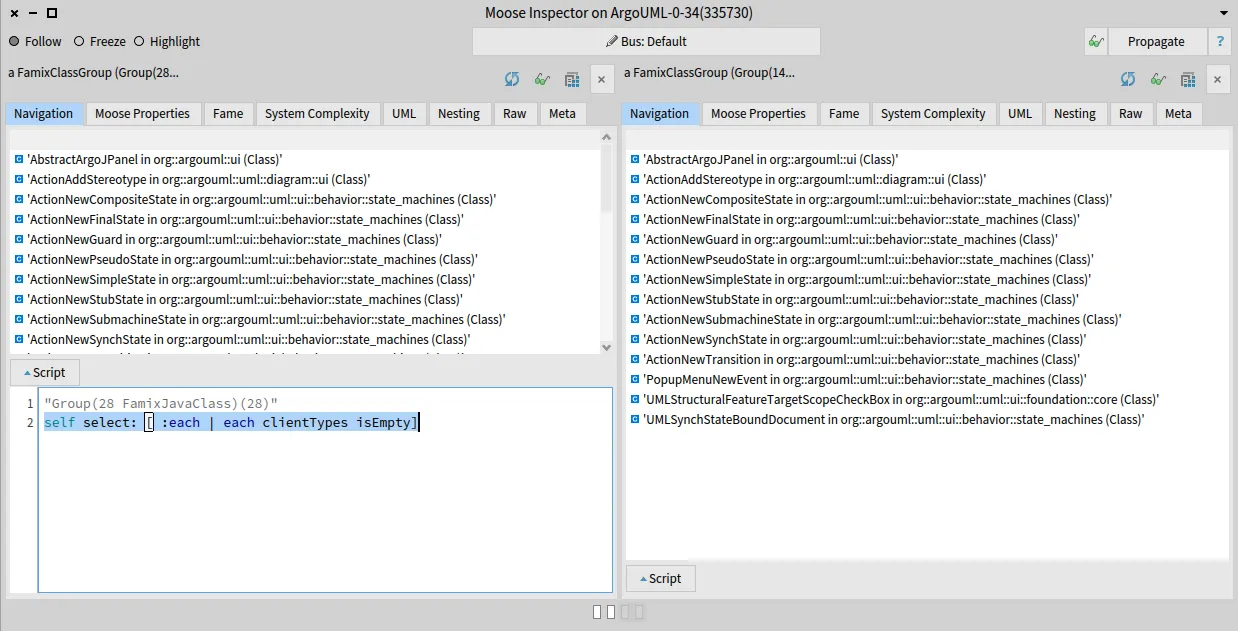
To retrieve the other classes, execute:
self select: [ :each | each clientTypes isNotEmpty ]This gives 14 classes that cannot be removed because they are still used.
What’s next?
Section titled “What’s next?”You have performed your first analysis with Moose. Now, analyze your own project.
This tutorial was first written for the Moose book.